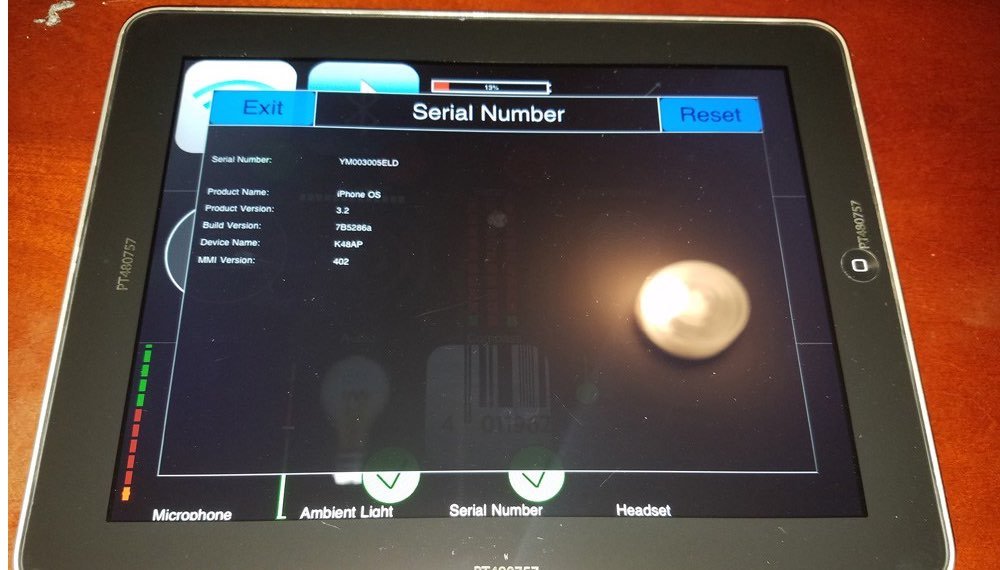
The year 2010 didn't just see the launch of another gadget; it witnessed the birth of a category-defining device that forever altered our interaction with digital content. When Apple unveiled the iPad, it wasn't immediately clear what problem it solved, but its Software and User Experience on the Original iPad quickly demonstrated a new, intuitive way to compute, consume, and create. It offered a compelling, hands-on experience unlike anything that had come before, bridging the gap between smartphones and laptops with a simple, responsive touch.
At a Glance: The Original iPad Experience
- A New Touch Paradigm: Introduced a fluid, capacitive multi-touch interface on a larger screen, eliminating the need for a stylus.
- iOS at Scale: Ran a customized version of iOS (initially 3.2, upgradable to 5.1.1), adapting the iPhone's simplicity to a tablet form factor.
- Dedicated Apps: Spurred a new generation of tablet-optimized applications in the App Store, enhancing readability, games, and productivity.
- Intuitive Gestures: Pinch-to-zoom, scrolling, and tapping felt natural and direct, making content interaction seamless.
- Hardware & Software Harmony: The A4 chip provided the processing power for a smooth user interface, despite lacking advanced features like multitasking or high-resolution displays common today.
- Post-PC Vision: Championed the idea of a simpler, app-focused device, paving the way for future tablet and mobile computing trends.
The Dawn of Touch: A Paradigm Shift
Before 2010, tablets largely remained niche, often burdened by clunky interfaces, resistive touchscreens requiring styluses, and desktop operating systems ill-suited for finger input. Then came the first generation iPad. Its arrival marked a seismic shift, not just in hardware design but, more critically, in how we conceived of digital interaction. The original iPad’s 9.7-inch display, encased in a sleek aluminum unibody, beckoned users to simply reach out and touch.
This wasn't just a bigger iPhone; it was a re-imagination of what a personal computer could be. The decision to forgo a stylus and embrace direct manipulation through multi-touch gestures wasn't merely a design choice—it was a philosophical statement about accessibility and intuition. Every tap, swipe, and pinch felt natural, almost an extension of your thoughts, allowing for an immediate connection to the content without layers of abstraction.
iOS 3.2 (and beyond): The Software Soul of the Original iPad
At its heart, the original iPad ran a custom version of iOS, starting with iOS 3.2 and eventually upgradable to iOS 5.1.1. This was a crucial distinction from traditional operating systems. Instead of a desktop, users were greeted by a grid of app icons on a home screen, familiar to iPhone users but now grander and more spacious. This full-screen, app-centric approach was a radical departure, emphasizing focus and simplicity over complex window management.
The Home Screen: A Familiar Canvas
The home screen was the command center. Large, vibrant icons representing apps like Safari, Mail, Photos, and Calendar were arranged in a customizable grid. While early versions of iOS on the iPad didn't support folders, they were added in iOS 4, allowing for better organization as the App Store rapidly expanded. Swiping between home screen pages was fluid, animated with a satisfying glide, reinforcing the sensation of direct control.
Core Applications: Built for the Big Screen
Apple meticulously redesigned its core applications to leverage the iPad’s larger display. Safari, for instance, offered a more expansive browsing experience, almost mirroring a desktop browser, complete with tabbed browsing. Mail transformed from a simple list into a two-pane interface, allowing users to view their inbox and a selected email simultaneously—a paradigm now common across tablet email clients. The Photos app became a stunning digital album, letting users flick through images with a swipe or pinch to zoom into intricate details.
The virtual keyboard was another triumph. Unlike the cramped iPhone keyboard, the iPad’s on-screen keys were large enough for comfortable two-thumb typing in portrait mode and a surprisingly effective ten-finger touch-typing experience in landscape. This greatly enhanced the device's utility for tasks beyond mere consumption, making it feasible to draft emails or take extensive notes directly on the tablet.
Gestures: The Language of Touch
The original iPad’s user experience was largely defined by its gesture-based interactions. Pinch-to-zoom wasn’t just a gimmick; it was an intuitive way to scale web pages, photos, and documents. Scrolling through long lists or web pages with a flick of a finger felt incredibly natural and responsive, thanks to the kinetic scrolling engine. Tapping an icon or link offered immediate feedback, the app springing to life with a smooth animation. These gestures created a sense of direct manipulation, as if you were truly touching and moving the digital elements themselves, rather than controlling them through an intermediary.
The App Store Revolution: Fueling the Ecosystem
While the hardware and operating system provided the foundation, the App Store truly unleashed the potential of the original iPad. Developers, initially skeptical, quickly realized the unique opportunities presented by a larger screen with a dedicated touch interface. Apple provided a clear path for developers to create "universal" apps that could scale gracefully between iPhone and iPad, or entirely new "iPad-only" experiences.
Early Killer Apps and Categories
The early App Store for iPad saw a surge in creative and productive applications:
- News & Magazines: Publications like The New York Times and Wired delivered visually rich, interactive digital editions that far surpassed static PDFs. Reading a digital newspaper felt immersive, with interactive elements and high-resolution imagery.
- Games: The larger screen and accelerometer opened up new possibilities for gaming. Titles like Angry Birds HD or Plants vs. Zombies HD became instant hits, providing a console-like experience with simple touch controls. More complex games like Real Racing HD showcased the device's graphical capabilities.
- Productivity: Apps like Pages, Numbers, and Keynote (Apple's iWork suite, sold separately) provided surprisingly capable word processing, spreadsheet, and presentation tools. For the first time, you could realistically draft and edit documents on a tablet without significant compromise. Art apps like Brushes allowed digital painting with remarkable fluidity.
- Media Consumption: Beyond YouTube and iTunes, dedicated video streaming apps began to emerge, transforming the iPad into a personal entertainment hub.
This ecosystem of purpose-built apps was a critical differentiator. Unlike competitors that often simply scaled up smartphone apps or crammed desktop software onto smaller screens, the iPad's apps were designed from the ground up to maximize the tablet form factor, offering experiences that felt natural and complete.
Hardware and Software in Sync: The A4 Chip & Display
The smooth, responsive user experience of the original iPad was not solely due to clever software; it was inextricably linked to its hardware. The custom-designed Apple A4 chip, the very first system-on-a-chip designed by Apple (which also powered the iPhone 4), was groundbreaking for its time.
The Power of the A4
The A4 chip was a single-core processor clocked at 1 GHz, paired with 256MB of RAM. While these specs seem modest by today’s standards, in 2010, the A4 provided ample power to drive the iPad’s user interface. It enabled fluid animations, rapid app launches, and a generally snappier experience than many contemporary mobile devices. Crucially, the tight integration between hardware and software, a hallmark of Apple's philosophy, meant that iOS was optimized specifically for the A4, allowing it to perform efficiently with limited resources.
The 9.7-inch Display: A Window to Content
The original iPad featured a 9.7-inch multi-touch display with a resolution of 1024x768 pixels. While it wasn't a "Retina" display (that innovation would arrive with the third-generation iPad in 2012), it was bright, vibrant, and provided a comfortable viewing area for web pages, photos, and videos. The display technology was IPS (in-plane switching), offering wide viewing angles, which was important for a device often shared or viewed from various orientations.
The absence of a high-resolution display didn't detract from the initial magic. The screen was still vastly superior to many netbooks and larger than most smartphones, making it an ideal canvas for media consumption and light productivity. Its clarity and responsiveness were more significant than pixel density for the core experience it delivered.
Capacitive Multi-Touch: The Defining Interaction
The underlying technology that made the user experience so groundbreaking was the capacitive multi-touch screen. Unlike resistive screens that required pressure (and often a stylus), the iPad's screen responded to the lightest touch of a finger, detecting multiple contact points simultaneously. This allowed for natural gestures like two-finger pinch-to-zoom, which became synonymous with the iPad experience. This direct, effortless interaction felt futuristic and immediately accessible to everyone, regardless of their tech proficiency.
Navigating the Limitations: What Wasn't There (Yet)
While revolutionary, the original iPad wasn't without its limitations, which in hindsight highlight just how much tablets have evolved. These "missing" features often shaped the early user experience and sometimes presented creative challenges for both users and developers.
- No Cameras: The original iPad notably lacked both front and rear cameras. This meant no FaceTime (which would debut on the iPad 2), no instant photo taking, and no augmented reality applications—features now standard on every tablet.
- No Retina Display: As mentioned, the 1024x768 resolution, while good, wasn't "Retina." Text and images, while clear, didn't have the ultra-sharp pixel density that would later become an Apple standard.
- Limited Multitasking: The original iOS on iPad offered a strictly "one app at a time" experience for the most part. While users could quickly switch between recently used apps, true split-screen multitasking (like Split View or Slide Over) was years away. This forced a focused, single-task workflow.
- The 30-Pin Dock Connector: Before the Lightning connector became ubiquitous, the original iPad (like iPhones of its era) used a wide 30-pin dock connector for charging and data transfer. This was bulkier and less versatile than modern USB-C.
- No Advanced Accessories: The concept of an Apple Pencil or a Smart Keyboard was still far off. Input was purely via touch or third-party Bluetooth keyboards.
- No Biometrics: Security relied solely on a passcode. Touch ID and Face ID were future innovations that would further enhance convenience and security.
- Lack of Adobe Flash Support: Steve Jobs famously penned an open letter detailing Apple's stance against Flash, which meant many websites relying on Flash for video and interactive content wouldn't display correctly. This initially caused frustration for some users but ultimately propelled the web toward HTML5 standards.
These limitations, while present, often forced a simpler, more streamlined approach to computing, which ironically contributed to its ease of use. The device wasn't trying to be a laptop replacement in every sense; it was carving its own niche.
Why the Original iPad Still Matters: Its Lasting Legacy
The original iPad’s impact extends far beyond its initial sales figures. It didn't just create a product category; it forged a new way of thinking about personal computing. Its legacy is evident in every tablet, every large-screen smartphone, and every intuitive touch interface we encounter today.
The "Post-PC" Era Pioneer
Apple positioned the iPad as a device for the "post-PC" era, suggesting a future where traditional computers might become less central to daily life. While the PC certainly hasn't disappeared, the iPad undeniably accelerated the shift towards mobile-first computing, proving that many everyday tasks—browsing, email, entertainment, light content creation—could be accomplished more simply and enjoyably with a touch interface.
Influencing App Design and Mobile Interaction
The paradigms established by the original iPad profoundly influenced how developers design applications. The emphasis on full-screen experiences, clear visual hierarchies, and direct touch manipulation became standard. It encouraged designers to think beyond mere functionality and focus on creating engaging, intuitive interactions. Many of the user interface conventions we see in tablet operating systems today, including iPadOS, have their roots in that inaugural device.
Foundation for Diversification
The success of the original iPad laid the groundwork for Apple's extensive product diversification strategy. It proved that there was a market for different screen sizes and performance tiers. This led directly to the development of the iPad Mini for portability, the iPad Air for a balance of power and lightness, and eventually the iPad Pro for professional-grade tasks, each building upon the core user experience established by its ancestor.
Common Questions About the Original iPad Experience
Even today, people wonder about the groundbreaking nature of the original iPad.
Q: Can you still use an original iPad today?
A: Functionally, an original iPad (running iOS 5.1.1) is severely limited today. Most modern apps require newer iOS/iPadOS versions, making them incompatible. Web browsing is possible but often slow, and many websites might not render correctly due to outdated browser capabilities. It's largely a collector's item or useful for very specific, offline tasks with old, compatible apps.
Q: What iOS version did the original iPad launch with, and what was its final version?
A: It launched with iOS 3.2 and could be updated to iOS 5.1.1. This means it never received major features like Siri or the control center, which came in later iOS versions.
Q: Was the original iPad truly "intuitive" for its time?
A: Absolutely. Its strength lay in its simplicity and directness. For tasks like reading, watching videos, browsing photos, or playing casual games, it was remarkably easy to pick up and use, even for non-tech-savvy individuals. The gestures felt natural, and the full-screen apps eliminated much of the complexity associated with traditional computers.
Q: What were its biggest innovations in terms of user experience?
A: Its biggest innovations were the refinement of capacitive multi-touch on a large screen, the creation of a vibrant ecosystem of tablet-optimized apps, and the pioneering of an app-centric, full-screen interface that prioritized focused interaction over multitasking complexity.
Q: How did the lack of cameras affect the user experience?
A: The absence of cameras meant that the original iPad was purely a consumption and light creation device. It couldn't be used for video calls, capturing photos, or engaging with augmented reality, limiting some interactive experiences that later iPads would offer.
Beyond Nostalgia: What We Learned from the Original iPad
Looking back, the original iPad wasn’t just a device; it was a blueprint. It taught us that simplicity, direct manipulation, and a tightly integrated hardware-software experience could redefine computing. It demonstrated the power of an app ecosystem tailored to a specific form factor, rather than simply porting existing software.
The principles established by the original iPad—its intuitive touch interface, its focus on full-screen app experiences, and its commitment to making technology accessible—continue to shape the design of tablets and even modern desktop operating systems. It was a bold step into the unknown, one that ultimately led to the sophisticated, versatile devices we use today, but none of them would be here without the foundational, intuitive touch of that very first iPad.