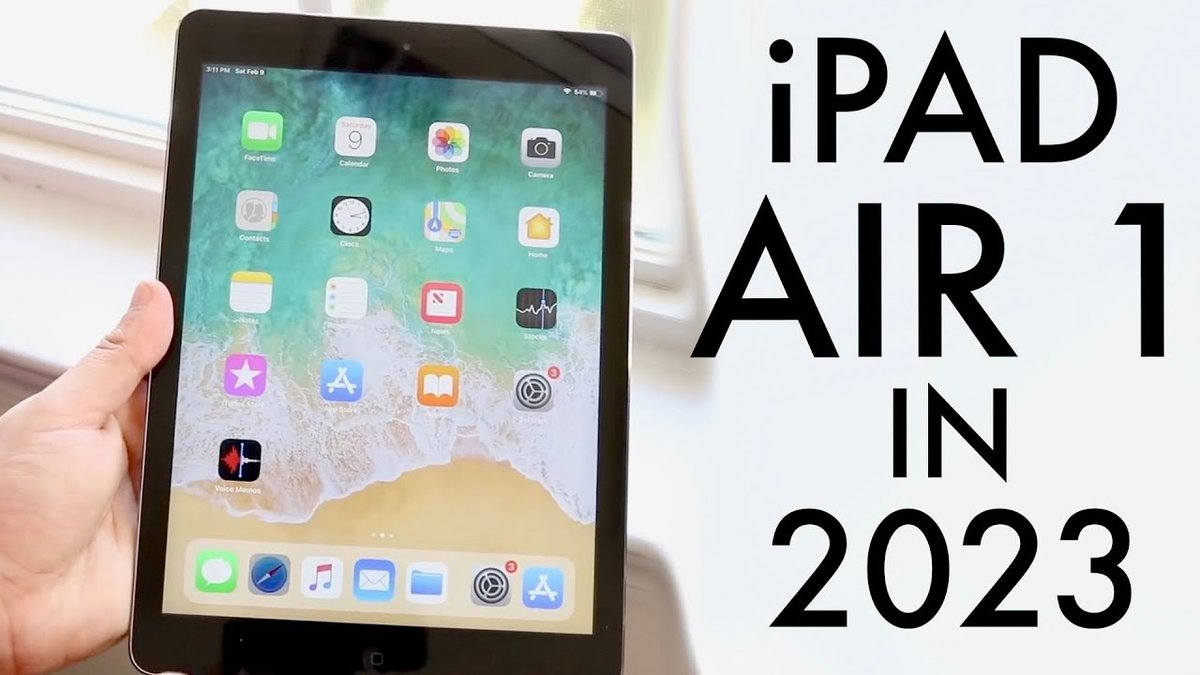
The year was 2010. The world was still wrestling with netbooks, clamoring for smartphones, and largely unaware that a device could bridge the gap between their phone and their laptop with elegant simplicity. Then came the original iPad. Examining the Technical Specifications and Design of the iPad 1 isn't just a trip down memory lane; it's an archaeological dig into the foundational DNA of an entire product category. This wasn't just another gadget; it was a carefully engineered statement, designed to redefine how we interact with digital content.
From its unibody aluminum enclosure to its custom-designed processor, every element of the first iPad was a deliberate choice, reflecting Apple's vision for a post-PC era. Let's peel back the layers and explore the precise engineering that brought this groundbreaking tablet to life.
At a Glance: The Original iPad's Core Specs
Before we dive deep, here’s a quick rundown of what made the original iPad tick:
- Release: Announced January 27, 2010.
- Operating System: Started with unique iOS 3.2.x, upgradable to iOS 5.1.1.
- Processor: Apple A4 (1 GHz CPU, PowerVR SGX535 GPU).
- Memory (RAM): A modest 256 MB.
- Display: 9.7-inch LED-backlit IPS LCD, 1024x768 resolution (132 ppi), scratch-resistant.
- Dimensions: 9.56" H x 7.47" W x 0.5" D (242.8 x 189.7 x 13.4 mm).
- Weight: 1.5 lbs (0.68 kg) Wi-Fi; 1.6 lbs (0.73 kg) Wi-Fi + 3G.
- Color: Black.
- Connectivity: Wi-Fi (802.11n), Bluetooth 2.1+EDR, 3G (data-only for cellular model), 30-pin connector.
- Key Features: Home button, volume/sleep switches, ambient light sensor, 3-axis accelerometer.
- Notably Lacked: Any cameras.
- Battery Life: Up to 10 hours of active use, one month standby.
The Genesis of a Category: Design Philosophy Meets Practicality
When Steve Jobs unveiled the original iPad model, he presented it not as a larger iPhone, but as a completely new class of device. Its design, while familiar to iPhone users, was optimized for a different kind of interaction. This was a device meant for consumption – browsing, reading, watching, and light productivity – all within a highly portable, tactile experience. The choice of materials, the industrial design, and the overall physical form factor were crucial in communicating this new paradigm.
Apple's engineers focused on creating a seamless, almost monolithic slab of technology. The anodized aluminum back tapered gently to thinner edges, creating an illusion of slenderness despite its half-inch thickness. This tactile design, coupled with its substantial yet balanced weight, felt premium and durable in the hand. It wasn't just about aesthetics; it was about ergonomics for a device held primarily with two hands. The physical buttons – Home, power, volume, and mute/orientation lock – were minimal, strategically placed, and provided satisfying, clicky feedback, adhering to Apple's long-standing principle of intuitive hardware.
Heart of the Beast: The A4 Chip and Performance Foundations
At the core of the iPad 1's performance was the Apple A4 chip, a 1 GHz custom-designed System-on-a-Chip (SoC). This wasn't just an off-the-shelf processor; it was Apple's first internally designed CPU for its mobile devices, signaling a strategic shift towards greater control over its hardware and software integration. The A4 chip was a critical component, not only powering the iPad but also making its debut in the iPhone 4.
The A4 chip combined a single-core ARM Cortex-A8 CPU with a PowerVR SGX535 GPU. For its time, this combination delivered remarkable fluidity for the tablet's interface, web browsing, and early tablet-optimized applications. The PowerVR SGX535, a capable graphics processor, was responsible for rendering the crisp visuals on the iPad's display and ensuring smooth animations.
It's easy to look back at the 256 MB of RAM and scoff, especially compared to today's multi-gigabyte standards. However, for the iPad's initial operating system, iOS 3.2.x (a unique version specifically tailored for the tablet), and the applications available at launch, 256 MB was sufficient. Apple's tight control over early iOS versions and app optimization allowed for efficient memory management, ensuring a responsive user experience without the need for vast amounts of RAM that Windows-based systems often demanded. This efficiency was a testament to the hardware-software synergy Apple was pioneering.
A Window to the World: Display Technology
The iPad's most prominent feature, the 9.7-inch LED-backlit IPS liquid crystal display, was a cornerstone of its design. With a resolution of 1024x768 pixels, it offered a 4:3 aspect ratio, making it ideal for reading documents, browsing websites, and viewing photos. While its 132 pixels per inch (ppi) might seem low by today's "Retina" standards, it was a significant step up from many other portable devices at the time, providing a clear and vibrant image.
The use of IPS (In-Plane Switching) technology was particularly important. IPS panels are renowned for their wide viewing angles and excellent color accuracy, which meant that content on the iPad looked great whether you were holding it directly in front of you or sharing it with someone sitting beside you. The LED backlighting contributed to its thinness and energy efficiency. Furthermore, the display glass was highly scratch-resistant and sensitive to "fingerprint interaction"—a subtle nod to its capacitive multi-touch capabilities, which allowed for intuitive gestures like pinching to zoom. This touch-first interaction was central to the entire iPad experience, a leap forward in evolution of tablet displays.
Crafting the Form: Dimensions and Industrial Design
The iPad 1's physical form was a masterclass in industrial design, reflecting Apple's design philosophy of minimalist elegance.
- Height: 9.56 inches (242.8 mm)
- Width: 7.47 inches (189.7 mm)
- Depth: 0.5 inches (13.4 mm)
At half an inch thick, it was considered remarkably thin for a device with its battery capacity and screen size. The slightly rounded edges and unibody construction felt comfortable to hold, minimizing sharp angles and creating a seamless aesthetic.
Weight was another crucial design consideration. The Wi-Fi model weighed 1.5 pounds (0.68 kg), while the Wi-Fi + 3G model was slightly heavier at 1.6 pounds (0.73 kg) due to the additional cellular components. This weight was a careful balance: substantial enough to feel premium and robust, yet light enough for extended periods of holding, reading, or watching. The consistent black front bezel framed the display, creating a uniform appearance that helped the screen fade into the background when powered off, enhancing the immersive experience when on.
Connectivity: Bridging the Digital Divide
The iPad offered two primary connectivity options: a Wi-Fi-only model and a Wi-Fi + 3G model, each tailored to different user needs.
- Wi-Fi: All models included 802.11n Wi-Fi, providing fast and reliable wireless internet access in homes, offices, and public hotspots. Bluetooth 2.1+EDR was also standard, enabling connections to accessories like wireless keyboards and headphones. These wireless capabilities were managed by the Broadcom BCM4329 chip.
- 3G Cellular (Wi-Fi + 3G Model): For users who needed internet on the go, the 3G model supported UMTS/HSDPA (850, 1900, 2100 MHz) and GSM/EDGE (850, 900, 1800, 1900 MHz) bands. Crucially, this was data-only; the iPad 1 could not make traditional phone calls. It included a Micro-SIM slot, a relatively new standard at the time, indicating Apple's push towards smaller, more integrated components. The cellular functions were handled by the Infineon 337S3754 PMB 8878 X-Gold 608 baseband chip, a component also found in earlier iPhone models like the 3G/3GS. The 3G-equipped model also contained a Broadcom BCM4750 chip, further enhancing its wireless capabilities. This blend of technologies was at the forefront of early mobile connectivity standards.
A common point of connection for both models was the 30-pin connector at the bottom. This proprietary port served multiple functions: charging, syncing data with iTunes, and connecting to a wide range of accessories (docks, keyboards, camera connection kits). It was a ubiquitous standard for Apple mobile devices of that era, prior to the advent of Lightning and USB-C.
Powering the Experience: Battery Life
A portable device is only as good as its battery life, and Apple made sure the iPad 1 delivered on this front. It boasted an impressive up to 10 hours of internet use over Wi-Fi, watching video, or listening to music. For a device with a large, bright screen and a powerful processor, this was a significant achievement in 2010. This long endurance meant users could enjoy the iPad for extended periods without constantly searching for a power outlet. It also offered up to one month of standby time, making it ideal for casual, intermittent use without needing to be charged daily if not actively used. This robust battery performance was a key factor in its appeal as a companion device, ready when you were.
The Missing Link: No Cameras
Perhaps one of the most talked-about "non-features" of the iPad 1 was its complete lack of cameras. In an age where even basic phones had cameras, and smartphones were rapidly improving their photographic capabilities, the absence of both a front-facing and a rear-facing camera on the original iPad was a deliberate design choice that puzzled many.
Apple's rationale was rooted in the device's primary purpose: content consumption and light creation. The design emphasized the display as the main interface, not as a viewfinder. This decision helped keep the device thin, simplified the internal components, and likely contributed to the impressive battery life. It forced developers and users to focus on the tablet's strengths—browsing, reading, and app interaction—rather than immediately reaching for it as a photo or video capture tool. While subsequent iPad generations quickly added cameras, the original iPad's minimalist approach highlighted a specific vision for its role in the computing landscape.
The Controls: Physical Interactions and Sensors
Beyond the touch screen, the iPad featured a minimal yet highly functional set of physical controls and sensors that enhanced usability:
- Home Button: Centered below the display, this iconic button served as the primary means to return to the home screen, access the multitasking bar (with a double-press), and activate Siri (in later iOS versions that the iPad 1 could update to).
- Wake/Sleep Button: Located on the top right edge, this button served to power on/off the device and put it to sleep/wake it up.
- Volume Up/Down Switches: On the right side, these discrete buttons allowed for quick audio adjustments.
- Mute/Orientation Lock Switch: Also on the right side, this versatile switch could be configured in iOS to either mute system sounds or lock the screen orientation (preventing automatic rotation between portrait and landscape modes).
- Ambient Light Sensor: Embedded near the display, this sensor automatically adjusted screen brightness based on environmental lighting conditions, saving battery and optimizing viewing comfort.
- 3-Axis Accelerometer: This internal sensor detected the iPad's orientation in space, enabling automatic rotation of the display between portrait and landscape modes. This was crucial for an intuitive tablet experience, allowing content to adapt seamlessly as the user changed their grip or position.
These physical and sensory inputs were integral to the iPad's intuitive user experience, allowing for quick, tangible interactions that complemented the multi-touch display.
A Legacy of Impact: The iPad's Early Success
The raw specifications, while fascinating, only tell part of the story. The true genius of the iPad 1 lay in how these components were integrated to create an experience that resonated with millions. Apple's announcement of the iPad triggered intense speculation, but its launch was met with unprecedented demand. Approximately fifteen million units of the first-generation iPad were sold before its successor was even announced. This wasn't just a sales success; it was a market-shaping phenomenon.
The device's profitability was staggering. At a time when the PC market was mature and competitive, the iPad generated profits higher than the entire PC market-share combined. It created a demand for a product category that didn't truly exist before, paving the way for a generation of tablets from various manufacturers. The original iPad proved that there was a massive appetite for a computing device that was more personal than a laptop, more versatile than a smartphone, and entirely focused on a new kind of interaction.
Beyond the Specs: The iPad's Enduring Influence
Looking back at the technical specifications and design of the iPad 1, it's clear that it was a product of bold decisions and meticulous engineering. From its custom A4 chip to its IPS display and carefully considered form factor, every choice contributed to its pioneering role. It wasn't perfect, lacking cameras and running an early version of iOS, but its strengths far outweighed its limitations, especially for its time.
The iPad 1 was a statement piece, a device that fundamentally shifted expectations for portable computing. It cemented the touch-first interface as a dominant paradigm, demonstrated the power of a custom SoC, and proved that consumers were ready for a new form factor. Its design principles – simplicity, elegance, and focus on user experience – continue to influence device design across the industry. The original iPad wasn't just a product; it was a blueprint for the future of personal technology, setting the stage for every tablet that followed.
Final Thoughts: A Tablet That Defined a Decade
The first iPad, with its specific technical blend and iconic design, wasn't just a successful product launch; it was a foundational moment for modern computing. It forced us to rethink how we consumed media, interacted with information, and even what we considered a "computer." The choices made in its design and engineering—from the groundbreaking A4 chip to the immersive IPS display and its deliberate camera-less purity—were not just features; they were declarations. They laid the groundwork for an entire decade of mobile innovation, proving that sometimes, less truly is more, especially when meticulously designed for a specific purpose.